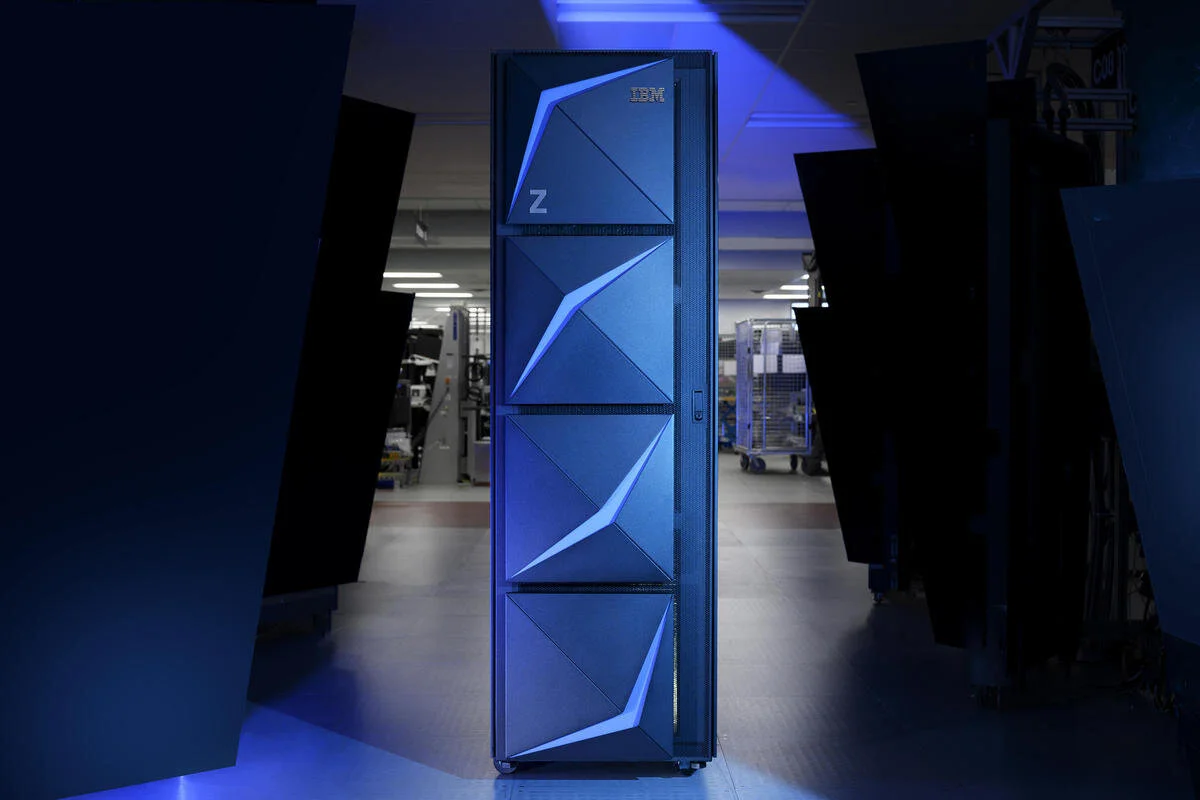
MODERNIZING THE MAINFRAME
Making complex mainframe management more intuitive
Enterprise UX/UI Design | IBM Z
Project Background
IBM Z mainframes are powerful enterprise computing systems that process large volumes of critical data and transactions for industries such as banking, healthcare, and government. IBM’s Hardware Management Console (HMC) enables administrators to monitor and manage these systems. Our team focused on modernizing two key experiences: improving system status monitoring to make critical information easier to identify and introducing RSA SecurID as an additional multi-factor authentication method to give administrators more flexibility in securing access.
The Approach
Our process combined analysis of existing experiences, iterative concept development, and user testing. We explored opportunities to simplify interactions, validated designs through user feedback, and refined the final experiences using IBM’s Carbon Design System.
1
System Status Monitoring
01 - The Challenge
Making critical information easier to access
System operators needed a more intuitive way to monitor hardware health, identify critical issues, and navigate between systems. The existing experience presented opportunities to improve visual hierarchy, issue recognition, and access to relevant information, particularly for operators managing multiple systems simultaneously.
02 - Research & analysis
Understanding how operators monitor system health
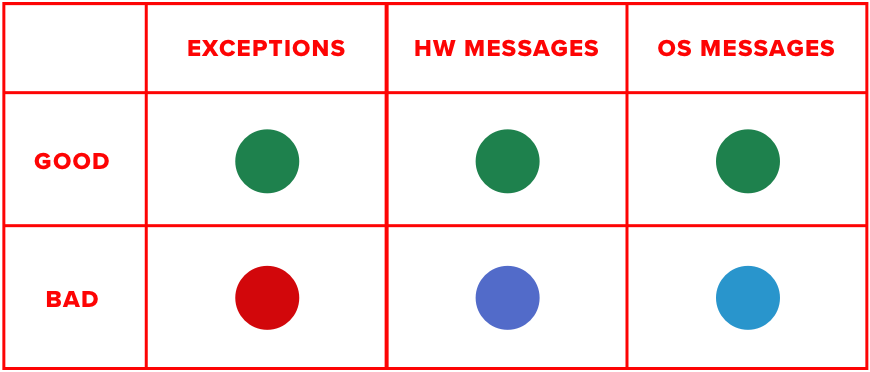
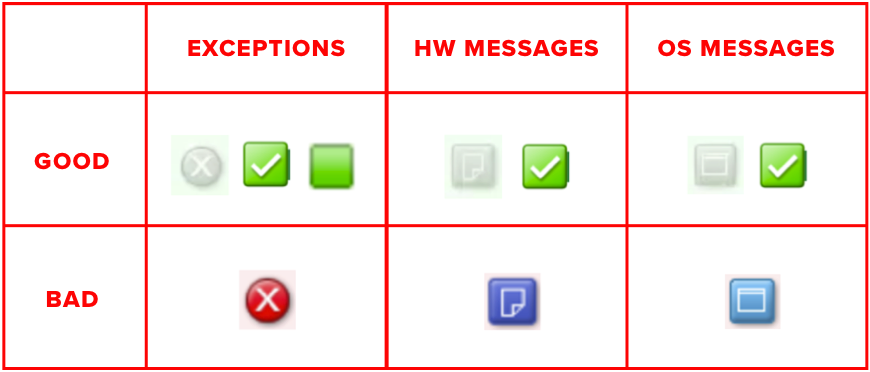
We evaluated the existing interface and interviewed experienced HMC users to understand how they monitored system health and responded to critical issues. Our analysis revealed inconsistent iconography, similar status colors, and limited visibility when navigating away from the dashboard. User interviews also highlighted the need to monitor systems from a distance and quickly identify affected systems or LPARs when issues occurred. These findings guided our approach to creating more distinguishable status indicators, maintaining visibility across workflows, and introducing flexible monitoring views that support both at-a-glance awareness and detailed issue investigation.
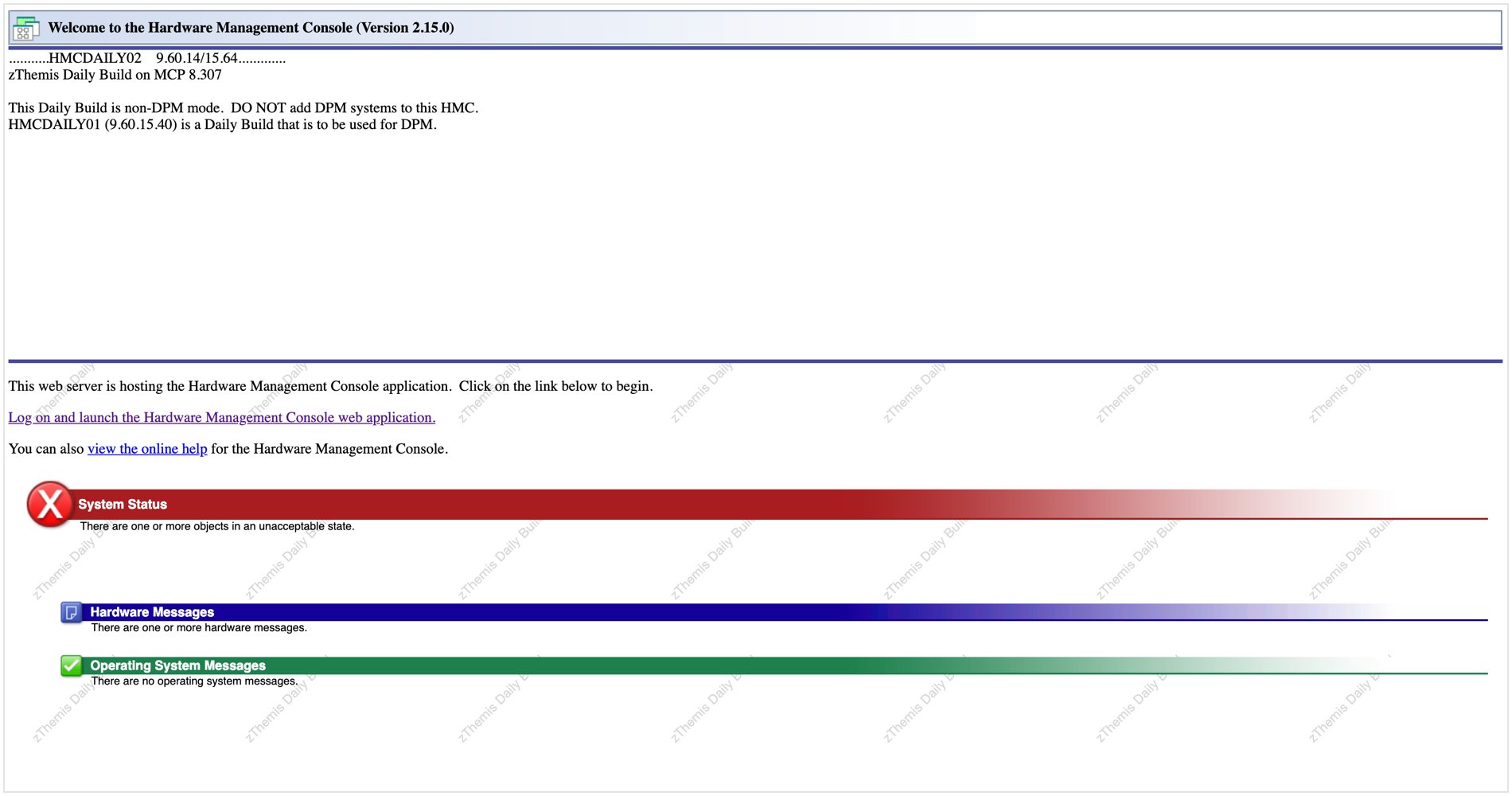
Pre-Logon
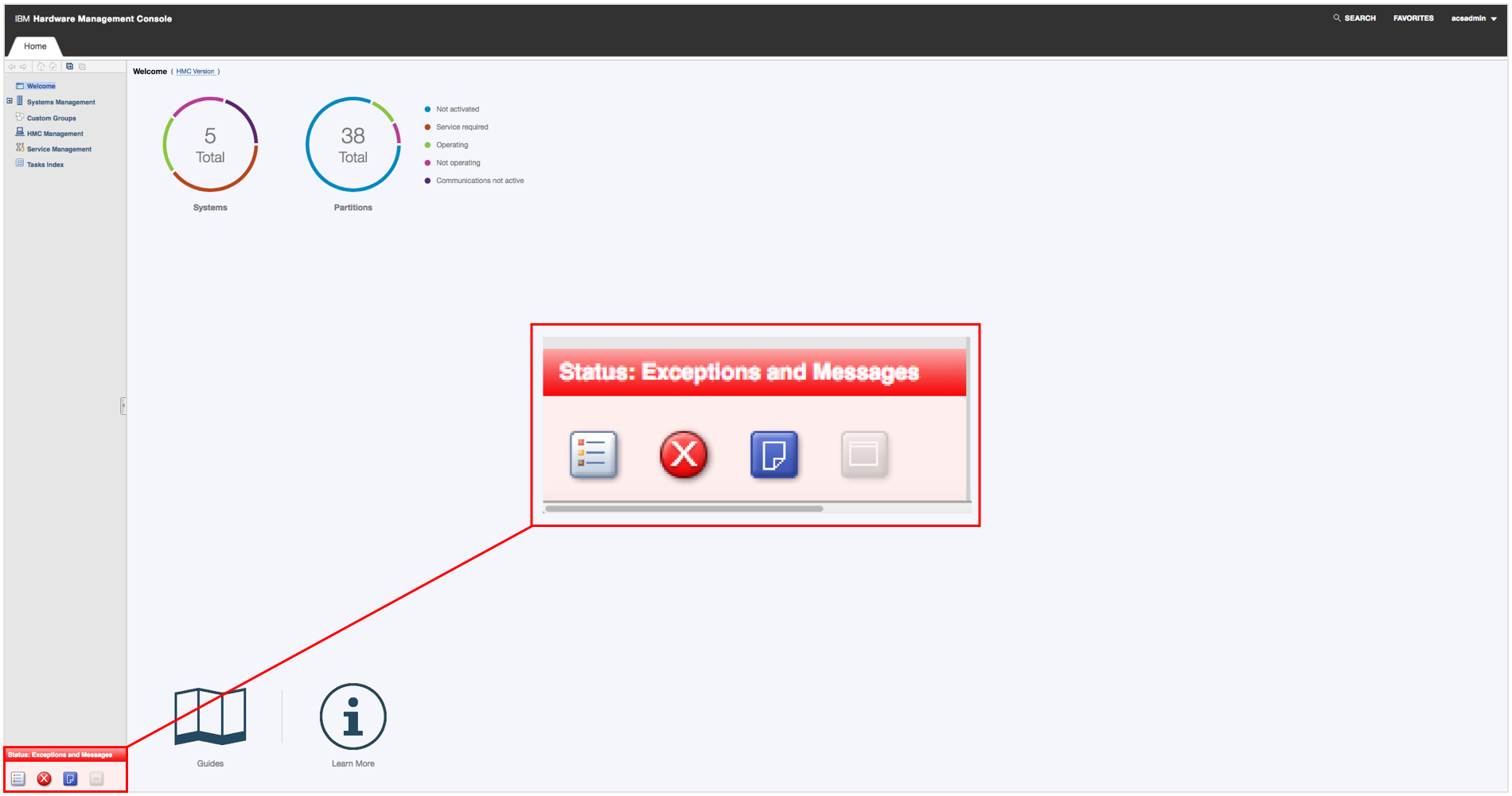
Dashboard
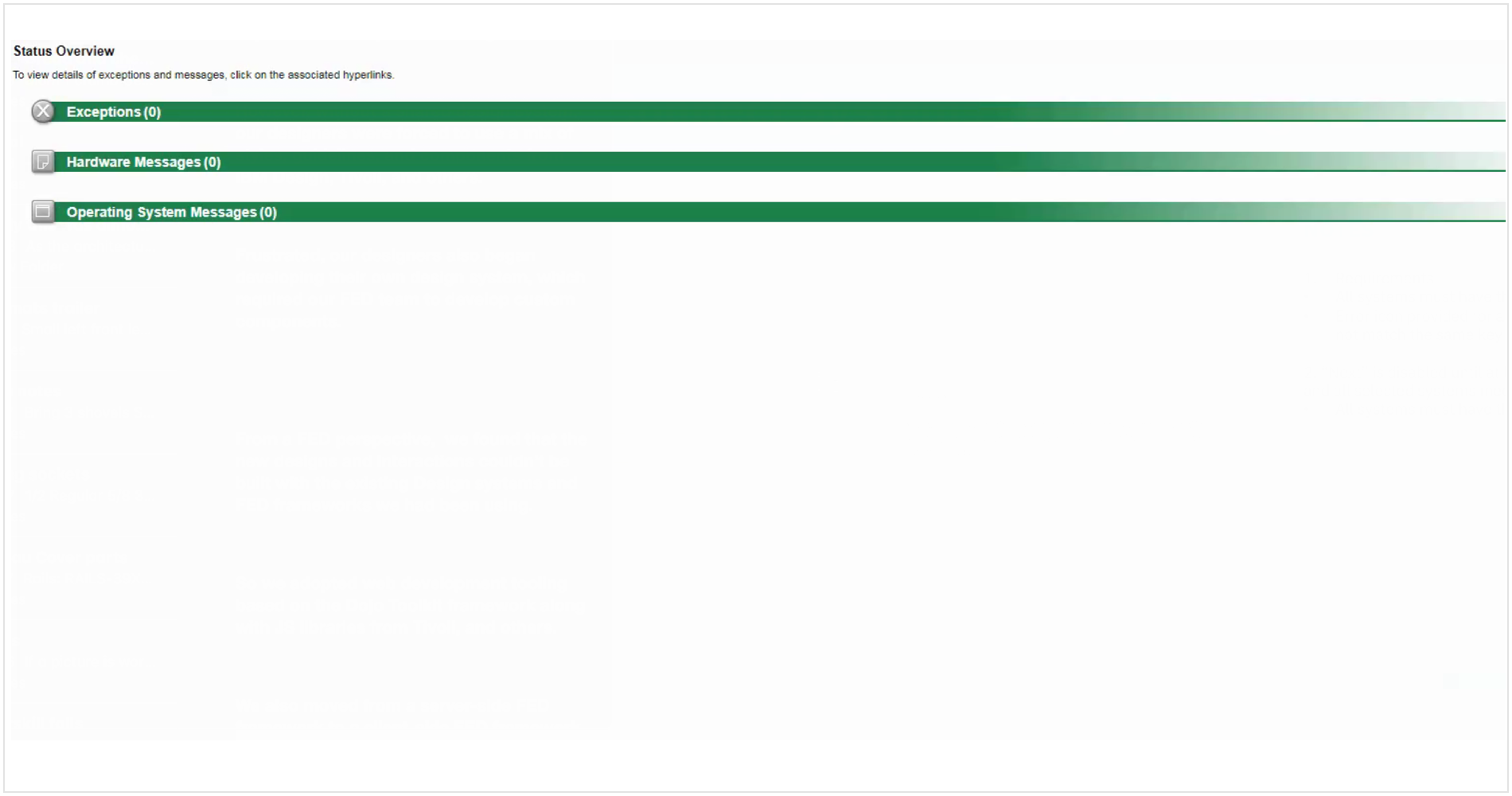
Status Overview
Visual Audit - Existing color & iconography
“I’d like to add there would be a list of whats alerting, CEC or LPAR.”
03 - Design Exploration
Improving visual clarity and flexibility in system monitoring
Building on our research findings, we explored ways to improve status recognition, establish a consistent visual language, and give operators greater flexibility in how they monitored system health.
Refining the Status Color System
We explored alternative colors using IBM’s Design Language to make status indicators easier to distinguish. Purple replaced teal to create greater separation between message types, while color values were evaluated for accessibility and contrast.
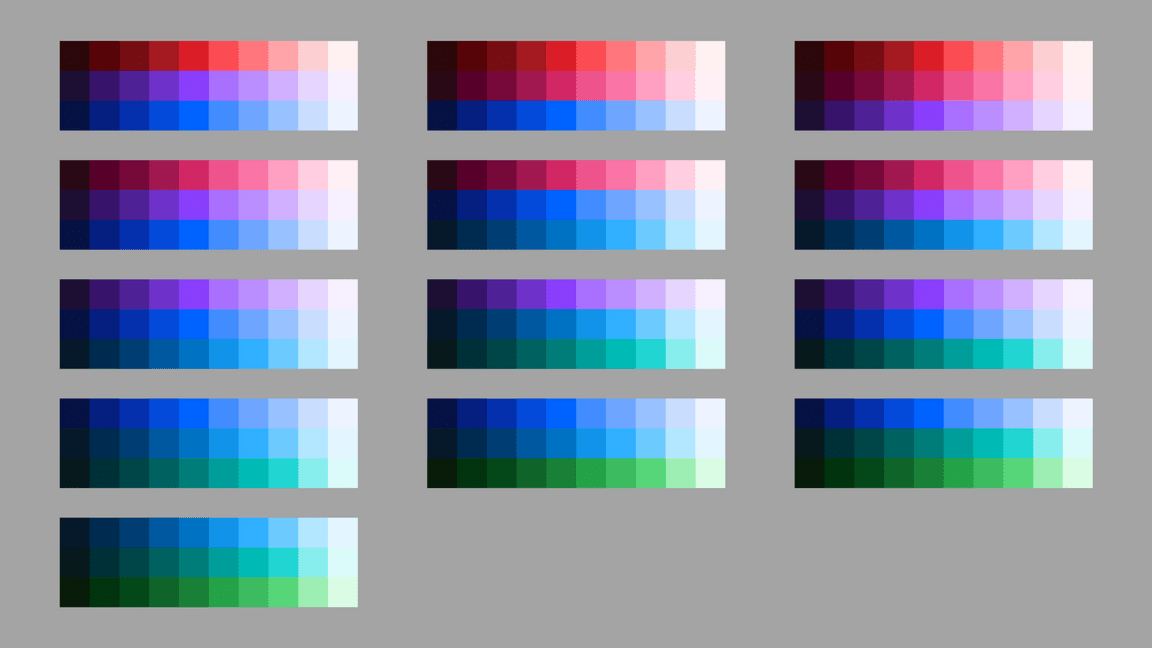
IBM Design Language Colors
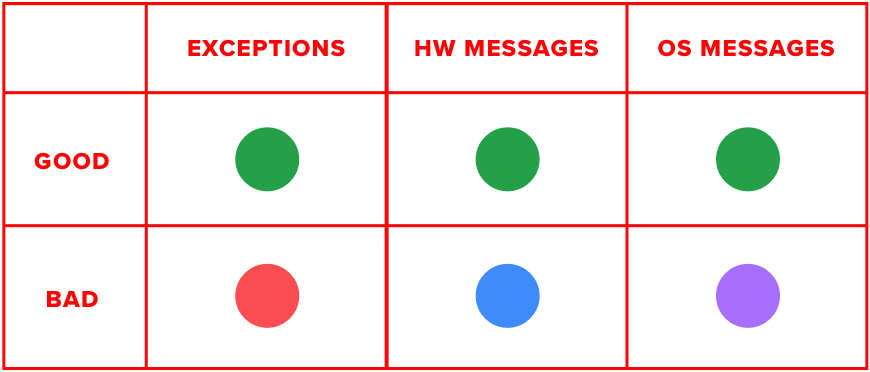
Updated status color system
Creating Consistent Iconography
We explored several icon treatments, ranging from illustrative symbols to simplified abbreviations. User feedback favored familiar, recognizable indicators, informing a more consistent icon system across exceptions, hardware messages, and operating system messages.
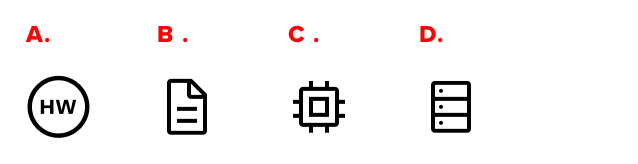
Iconography ptions for Hardware Messages
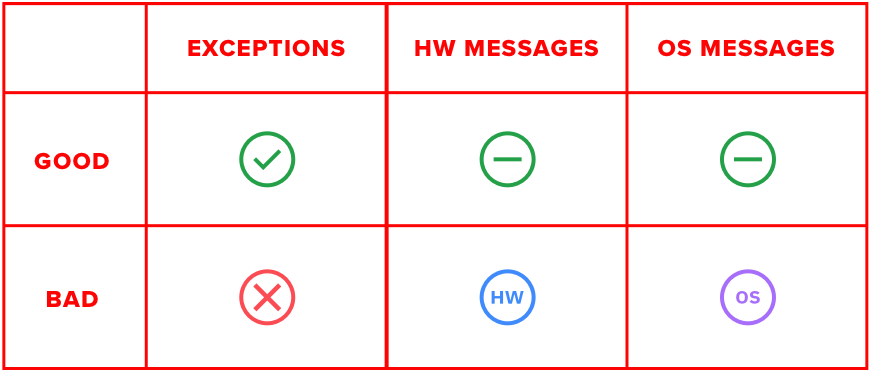
Updated status icon system
Exploring Flexible Monitoring Views
We explored two complementary experiences: a compact status overview within the application header and a detailed, docked panel for investigating issues without leaving the current workflow. Through iterative design and user testing, we refined these concepts and introduced an expanded view to support operators monitoring systems from a distance.
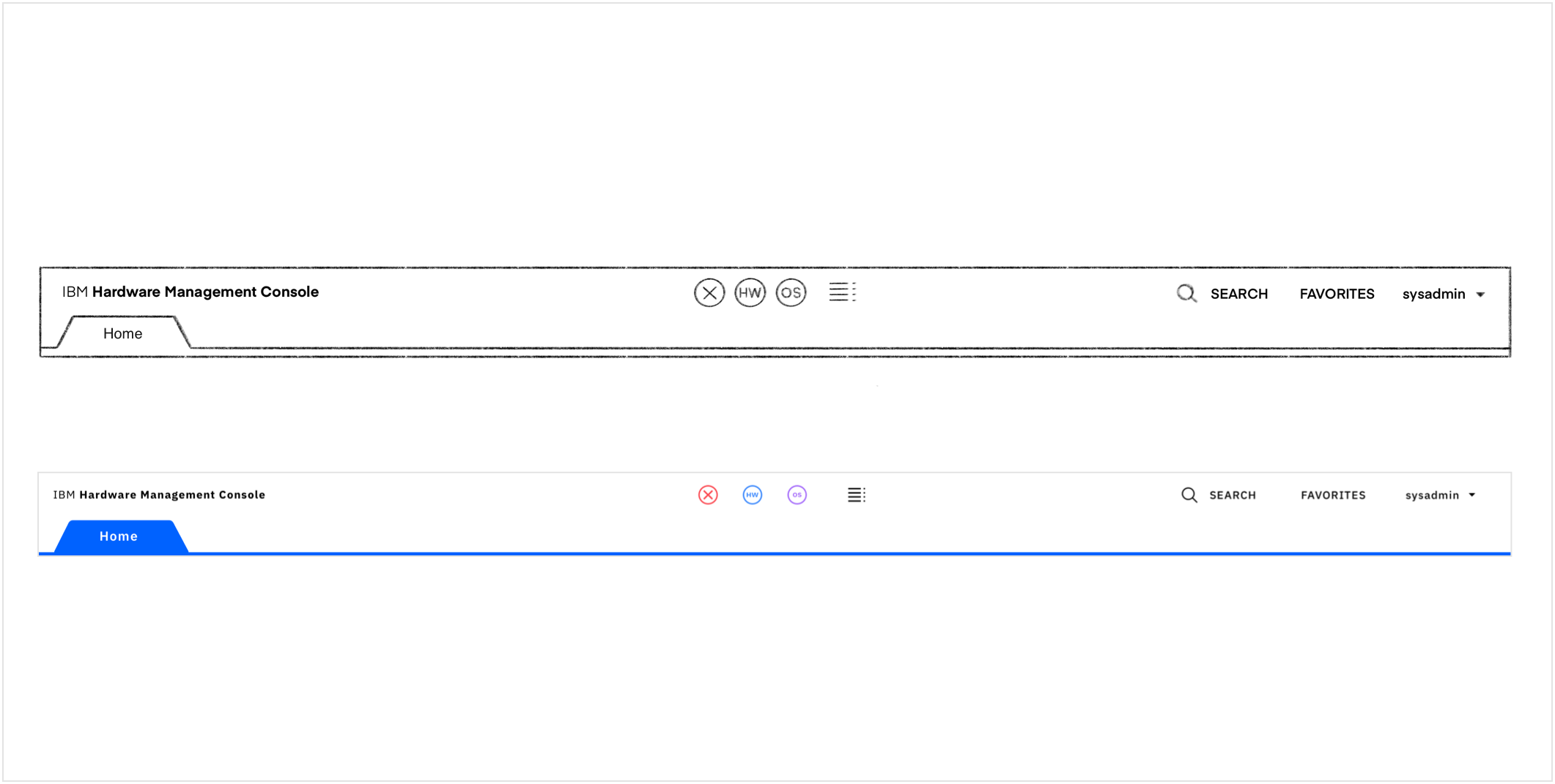
Low and Mid-Fidelity Compact Status Overview Iterations
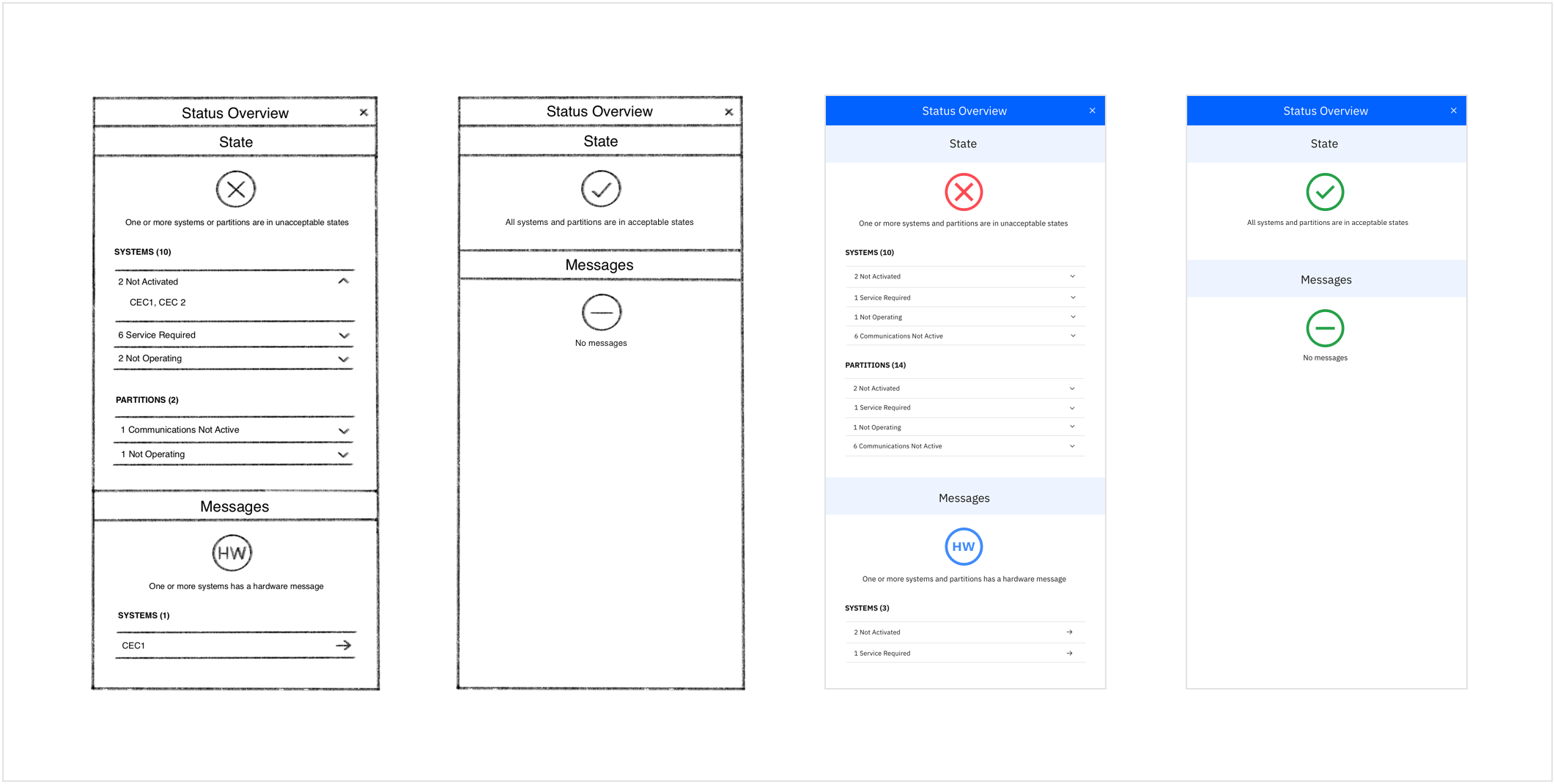
Low and Mid-Fidelity Docked Status Overview Iterations
04 - Validation and refinement
Using operator feedback to improve visibility and navigation
User testing helped validate the redesigned experience and identify which interactions provided the greatest value. Operators responded positively to the stronger color differentiation, the ability to drill down into specific issues, and the flexibility of the expanded monitoring view. Feedback also reinforced the importance of making system health recognizable from a distance, particularly in environments with multiple monitors. These insights helped refine the visual hierarchy and navigation across the three views.
“Yeah, that’s a big improvement over the current one, you get a little more detail, it’s a little more obvious, and it’s a little easier to drill down when something pops up so yes, that’s an improvement.”
“Of course, one of the issues we currently have is that the colors are not very obvious from a distance and in a network control center where people have dozens of monitors they can’t see anything. I’m glad you made them bolder!”
“Then we have a big status overview screen, looks like I can get to everything...this is what an operator wants sitting on their HMC all the time”
05 - Final Design
Supporting different levels of system monitoring
The final experience introduced flexible monitoring views designed around how operators work. A compact overview provides persistent visibility into system health, while a docked panel allows users to investigate issues without disrupting their workflow. An expanded view supports monitoring from a distance, using large, color-coded status indicators that make critical information easier to recognize across a control room. Operators can also drill down into individual systems to investigate specific issues.
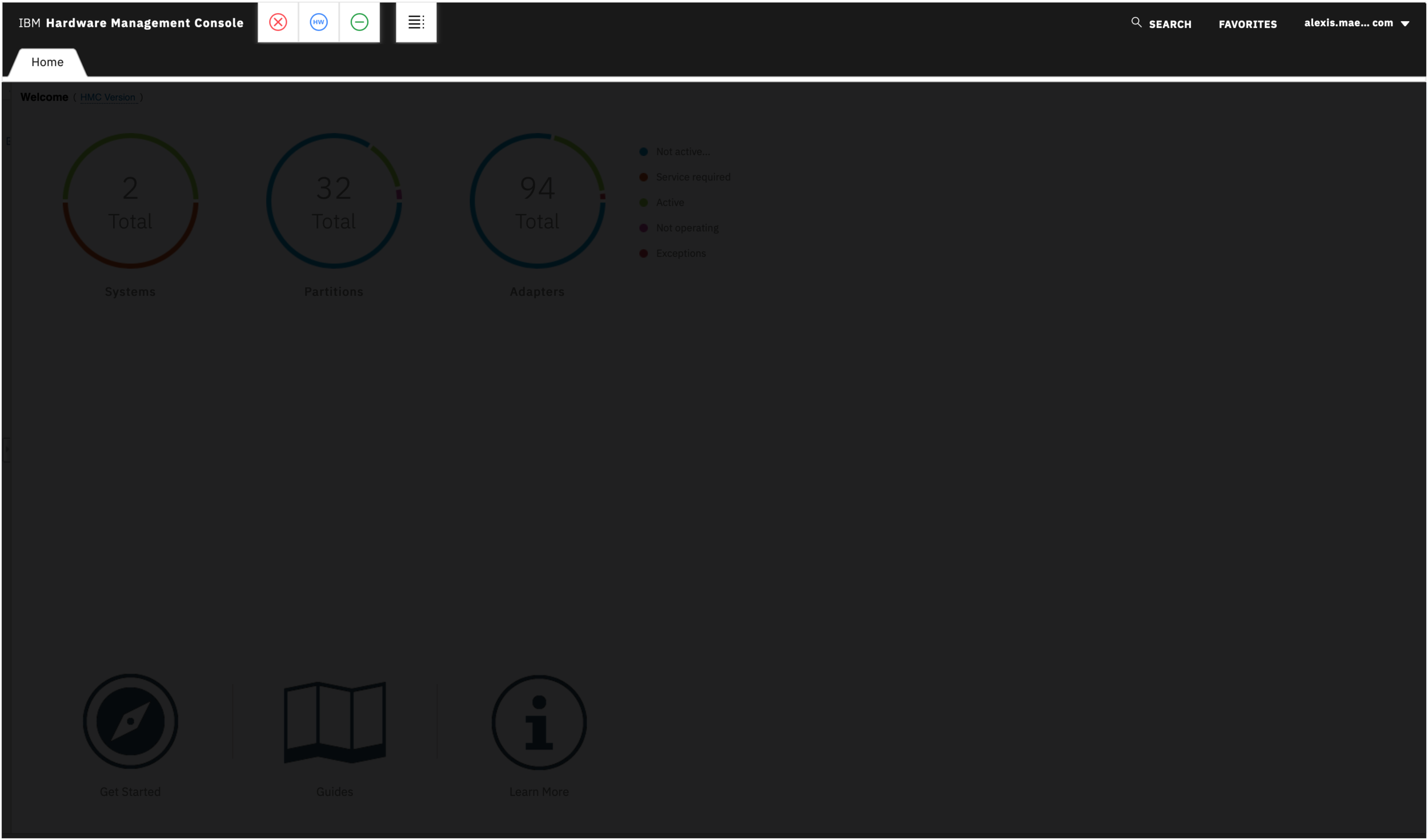
Compact Status Overview
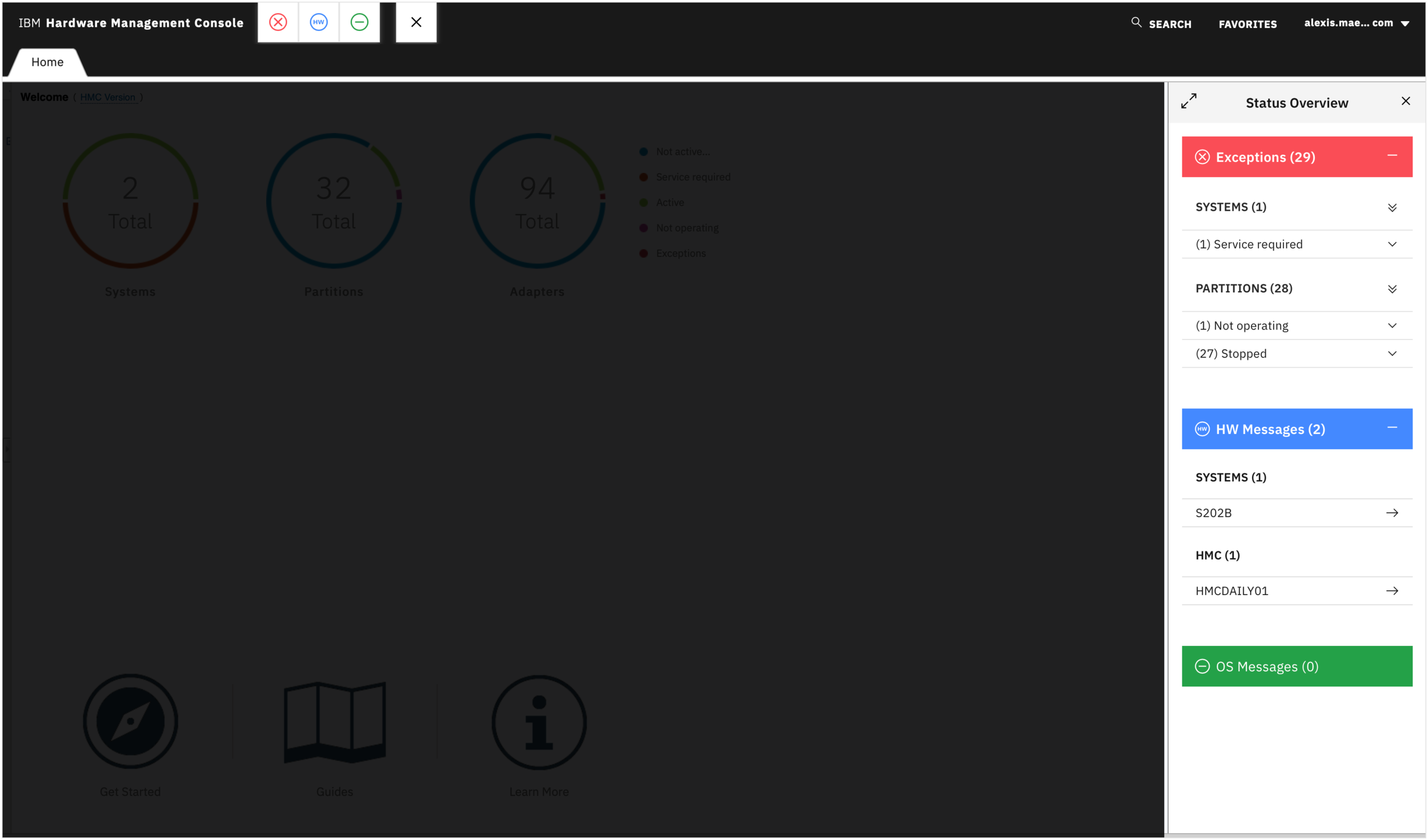
Docked Status Overview
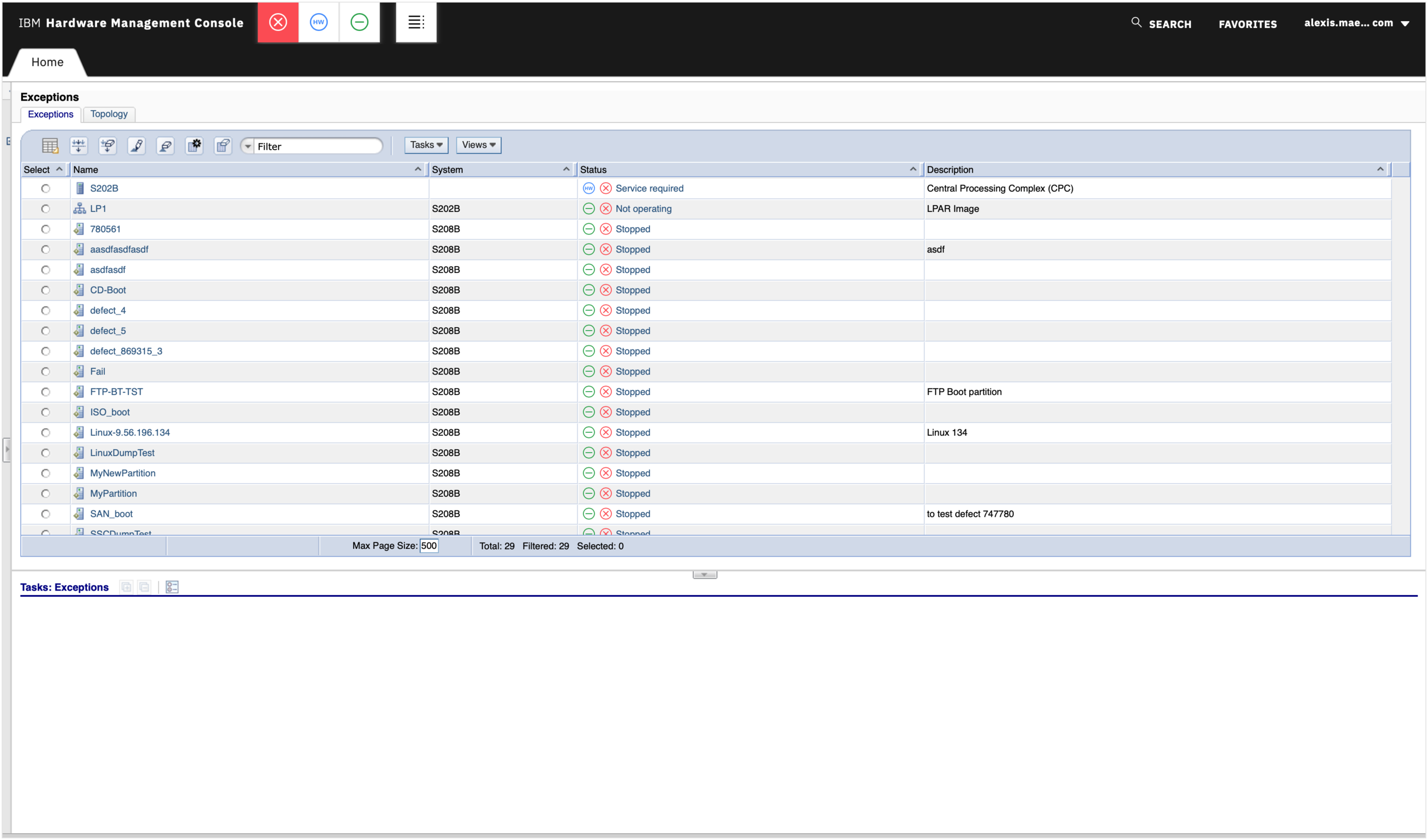
Exceptions Table View
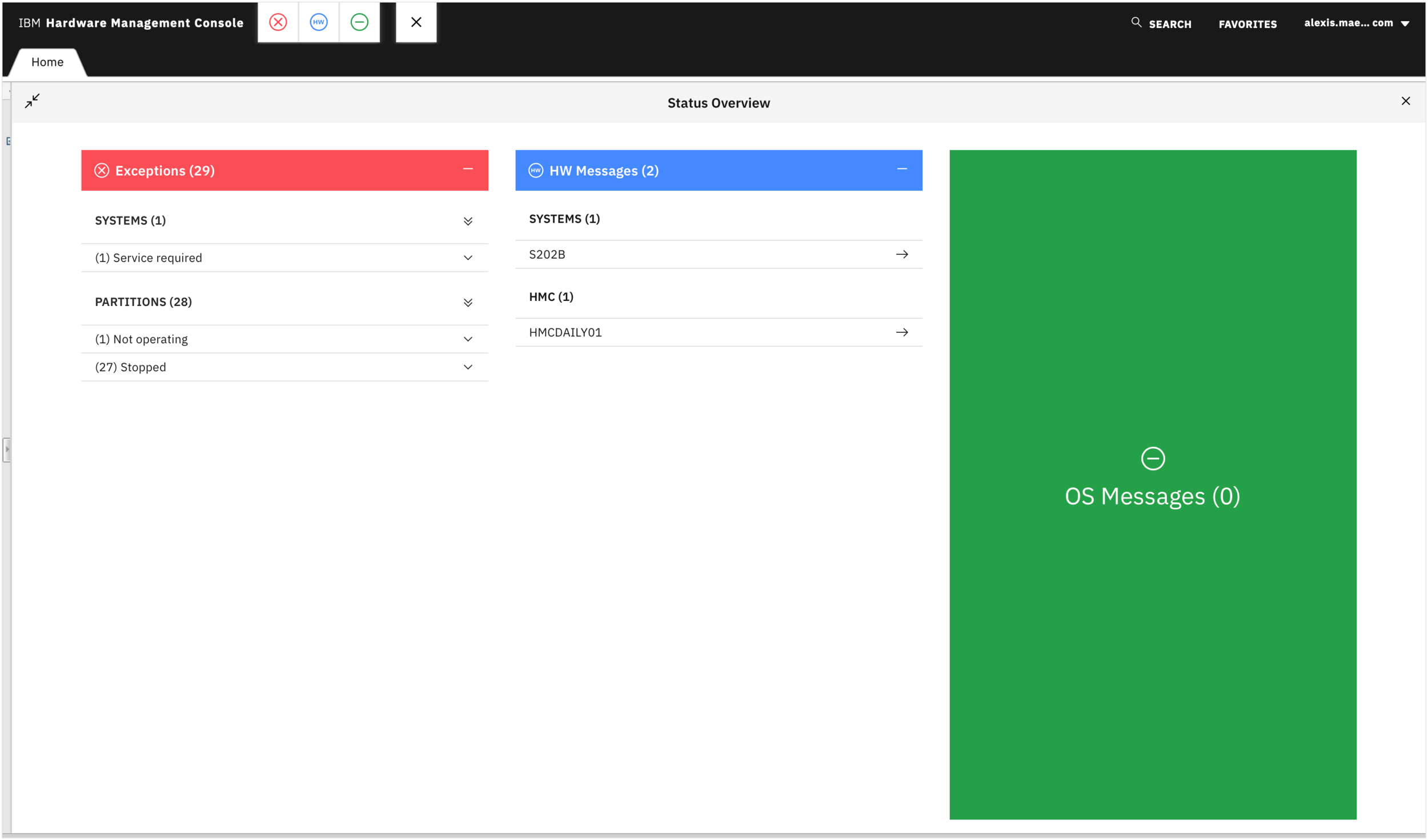
Expanded Status Overview
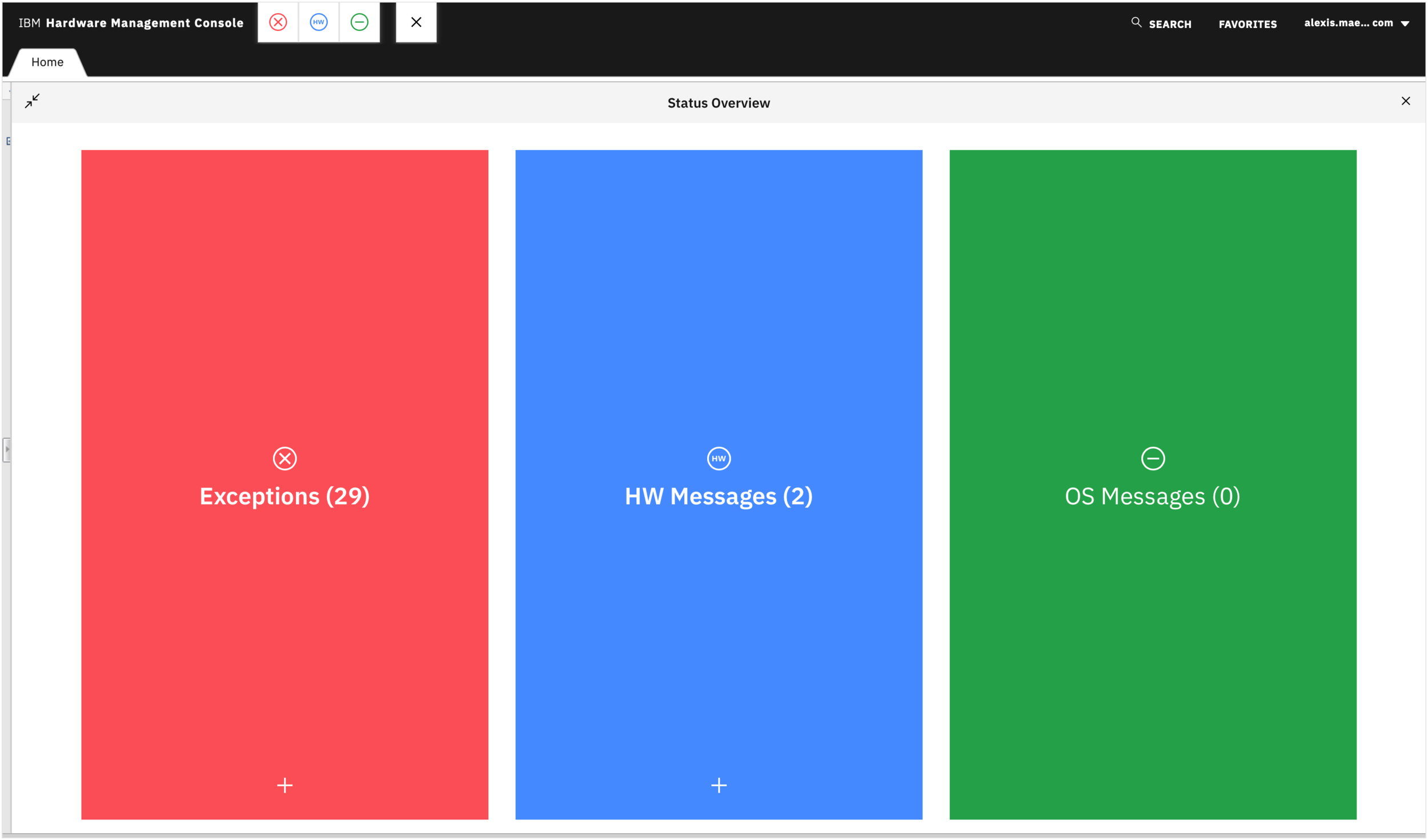
Expanded Status Overview
2
Multi Factor Authentication
01 - The Challenge
Simplifying authentication management across complex workflows
The Hardware Management Console (HMC) supported existing multi-factor authentication methods but needed to accommodate RSA SecurID as an additional security option. The challenge was to integrate this new authentication method into an established enterprise experience while making it easier for administrators to configure, manage, and navigate authentication settings.
02 - Research & Analysis
Understanding existing authentication workflows
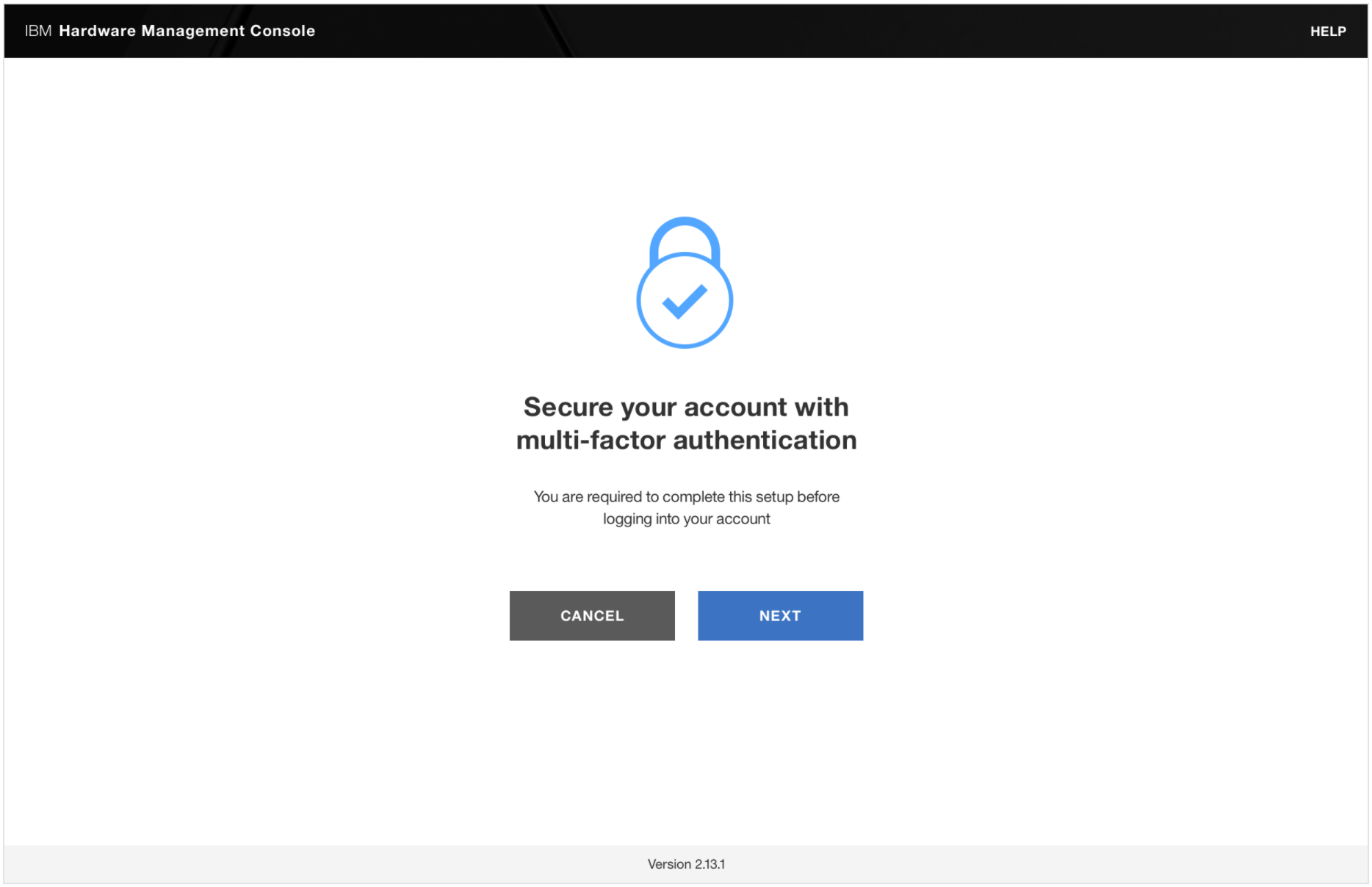
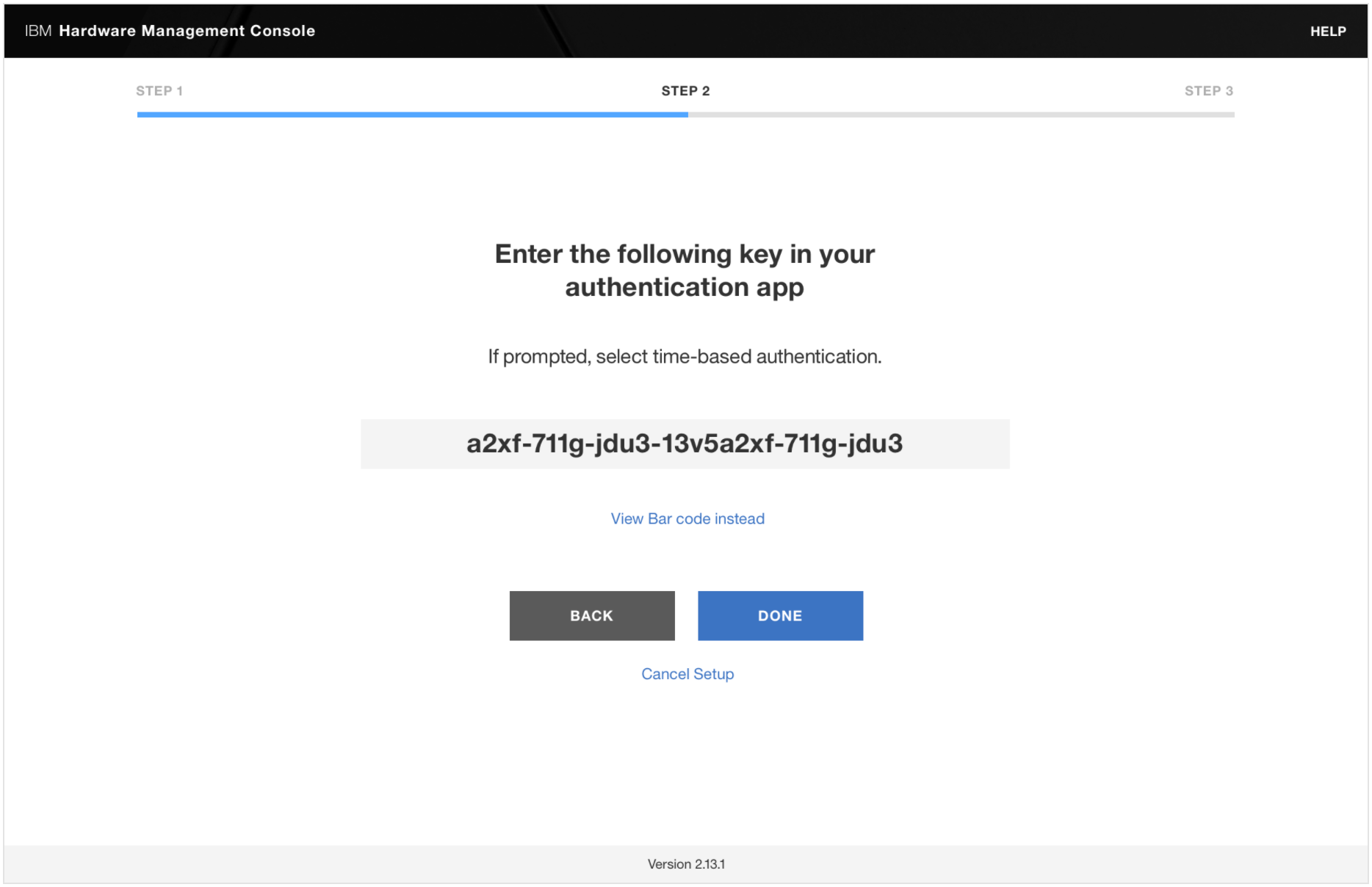
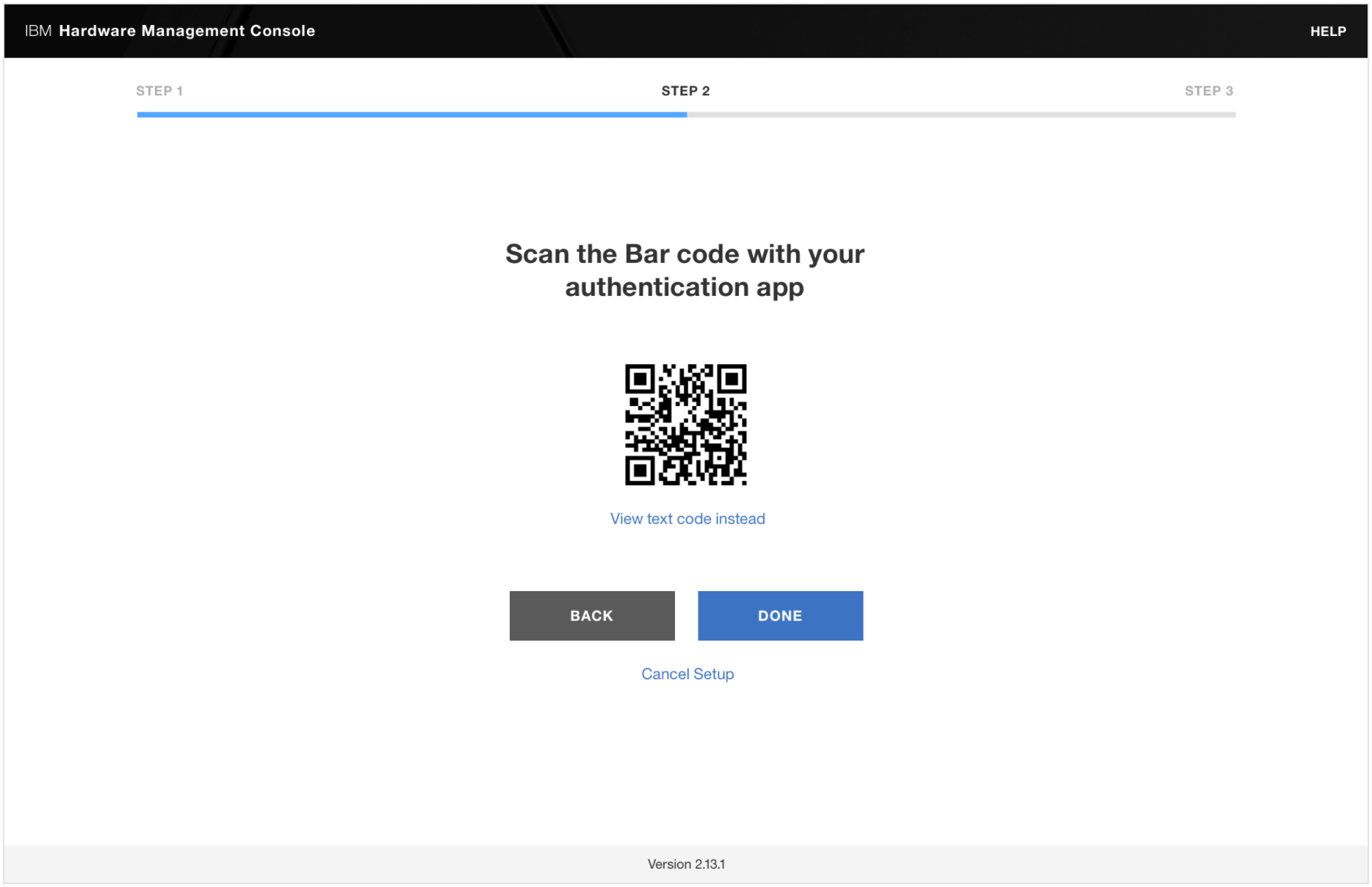
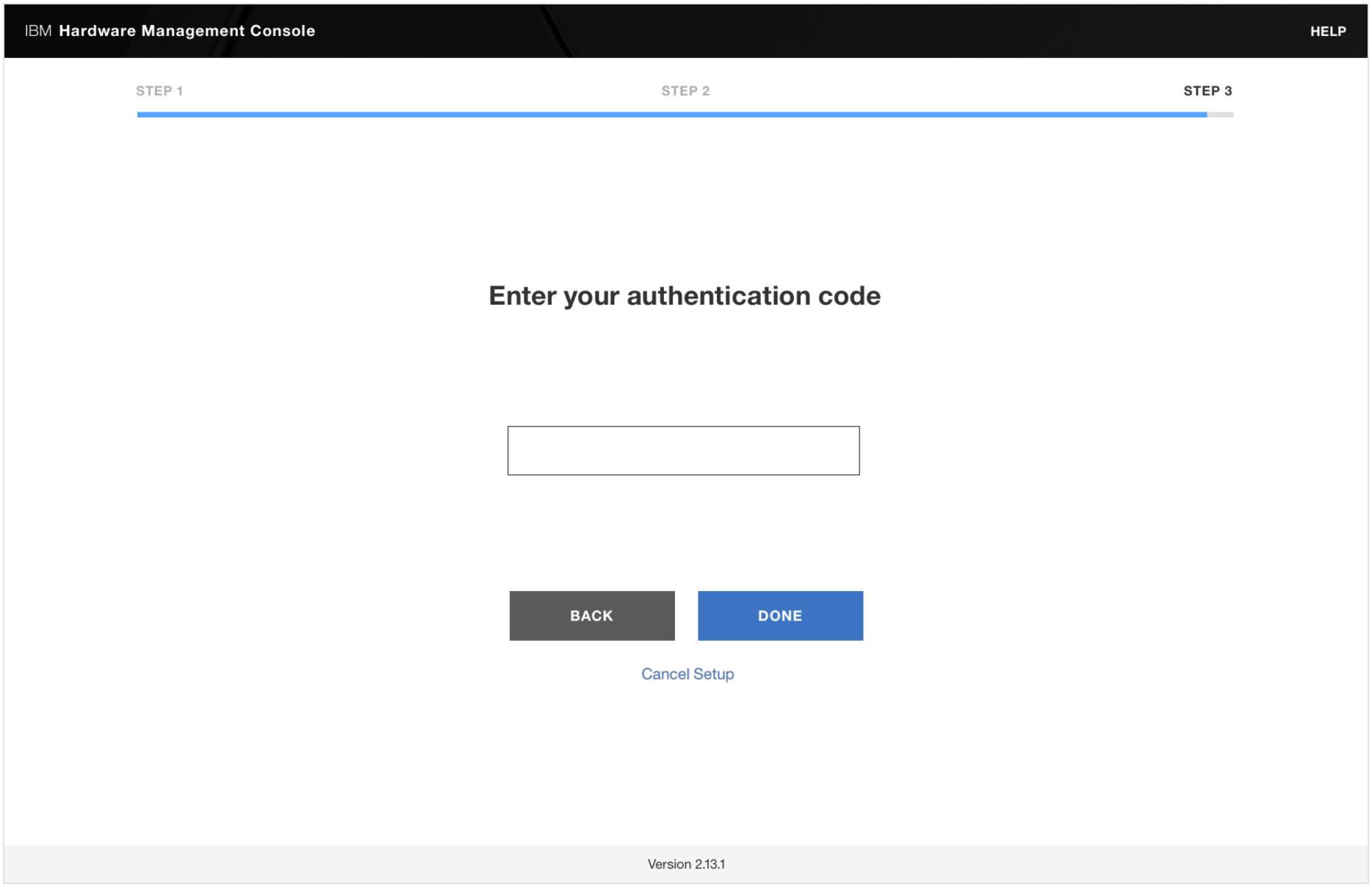
We evaluated the existing MFA experience and explored how administrators configured local and remote authentication methods. Our analysis highlighted opportunities to improve the organization of configuration settings, clarify differences between authentication methods, and simplify the steps required for setup and login. These findings informed our approach to creating a more consistent and intuitive configuration experience.
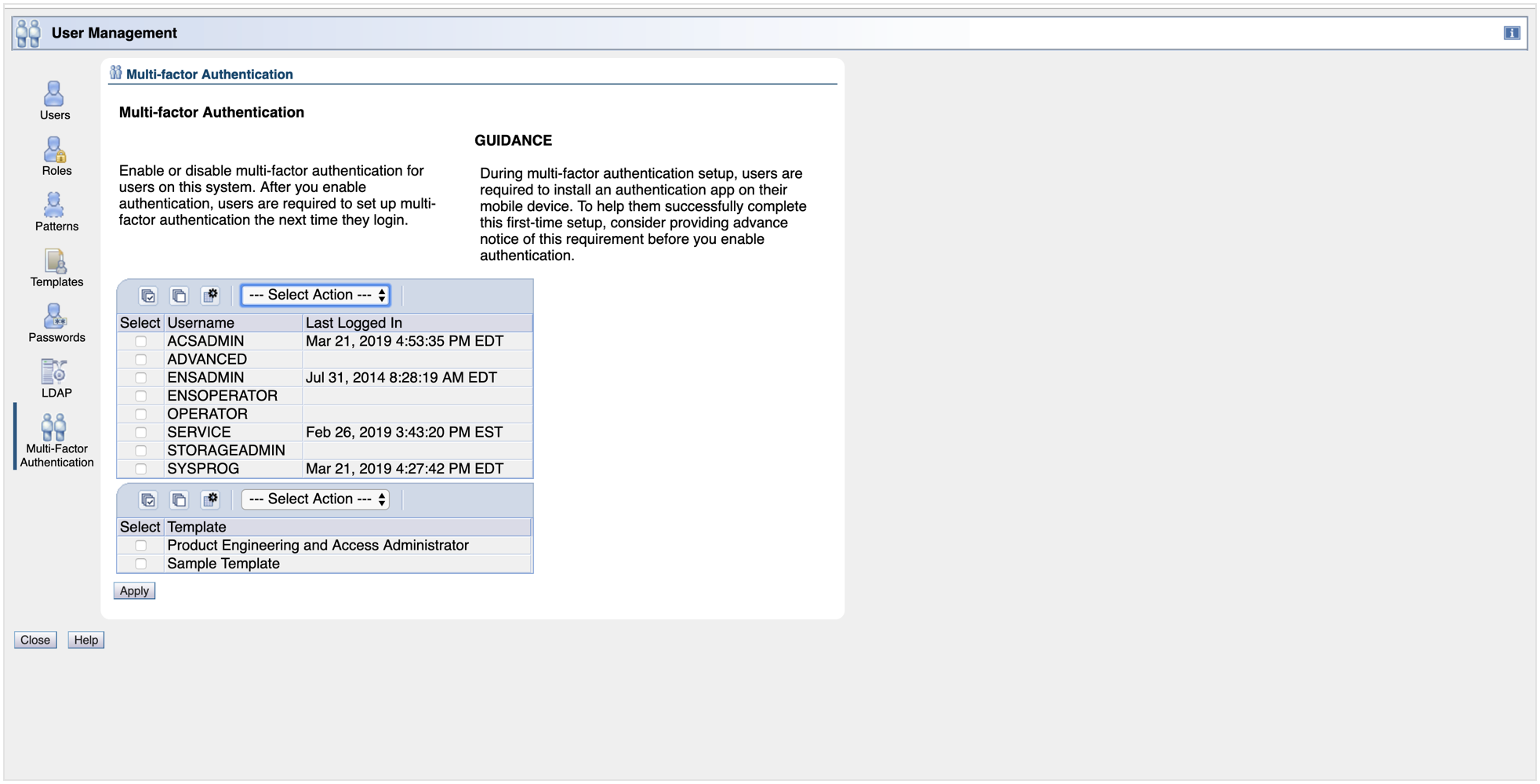
Existing MFA configuration interface
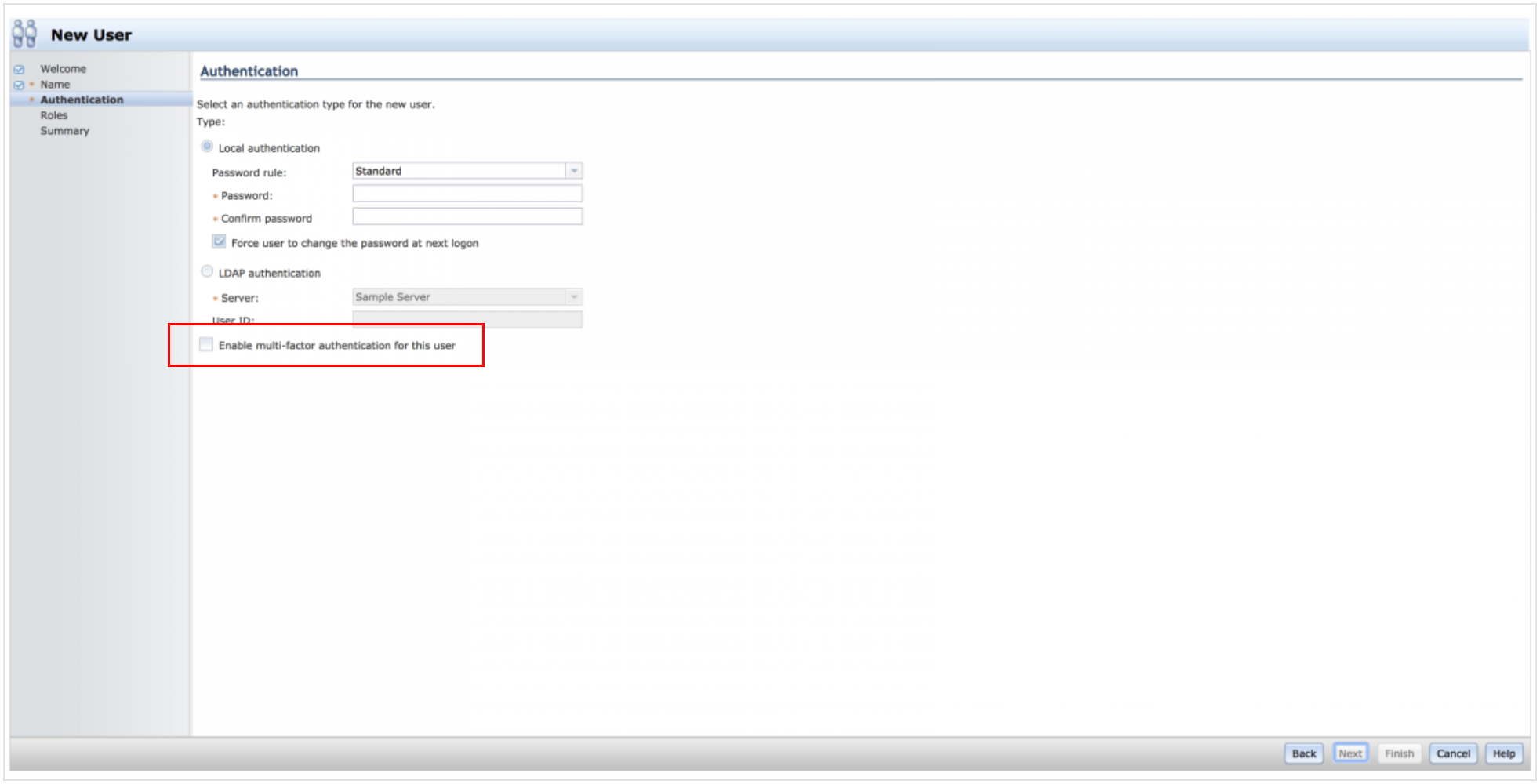
Existing MFA configuration interface
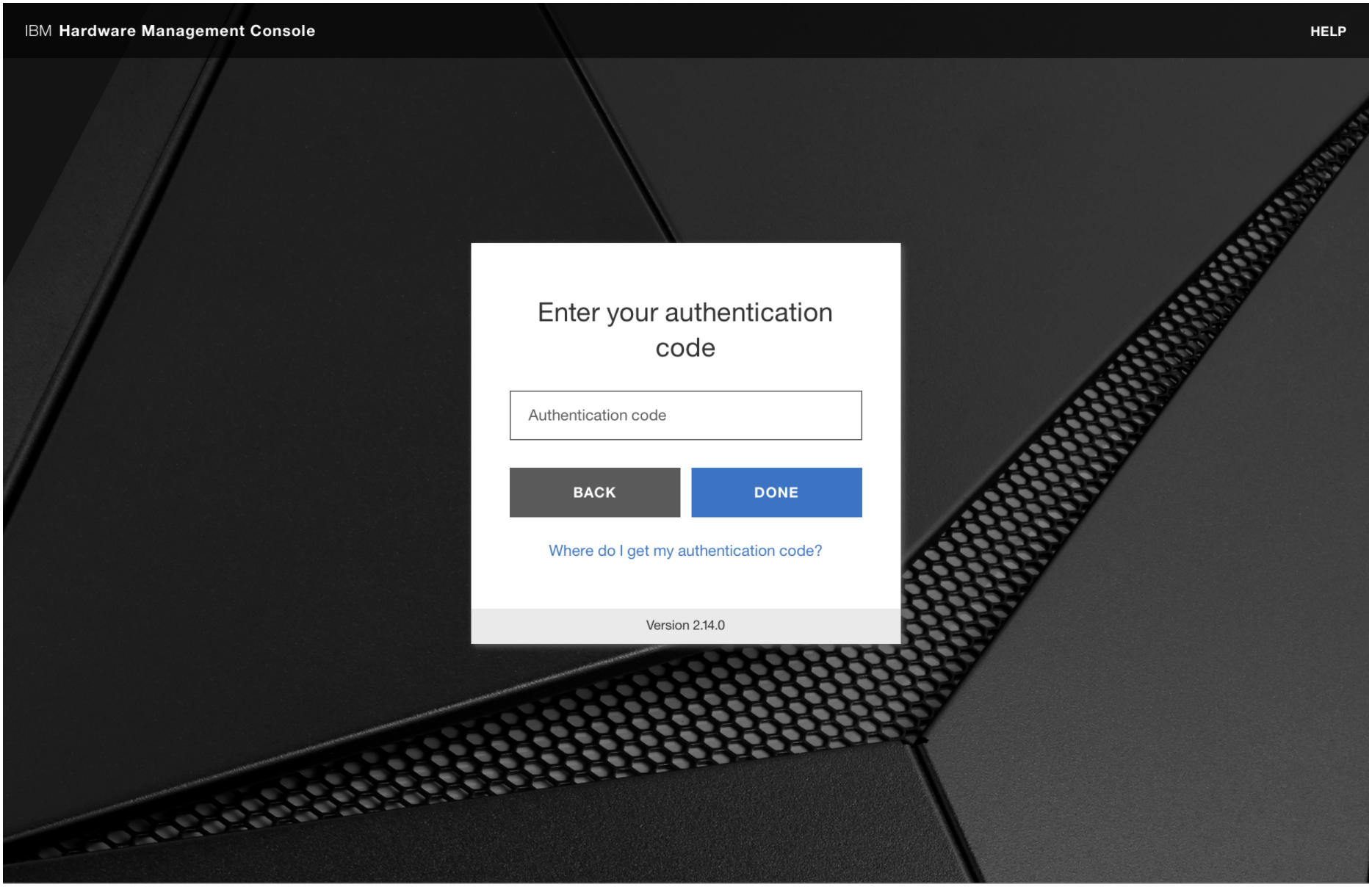
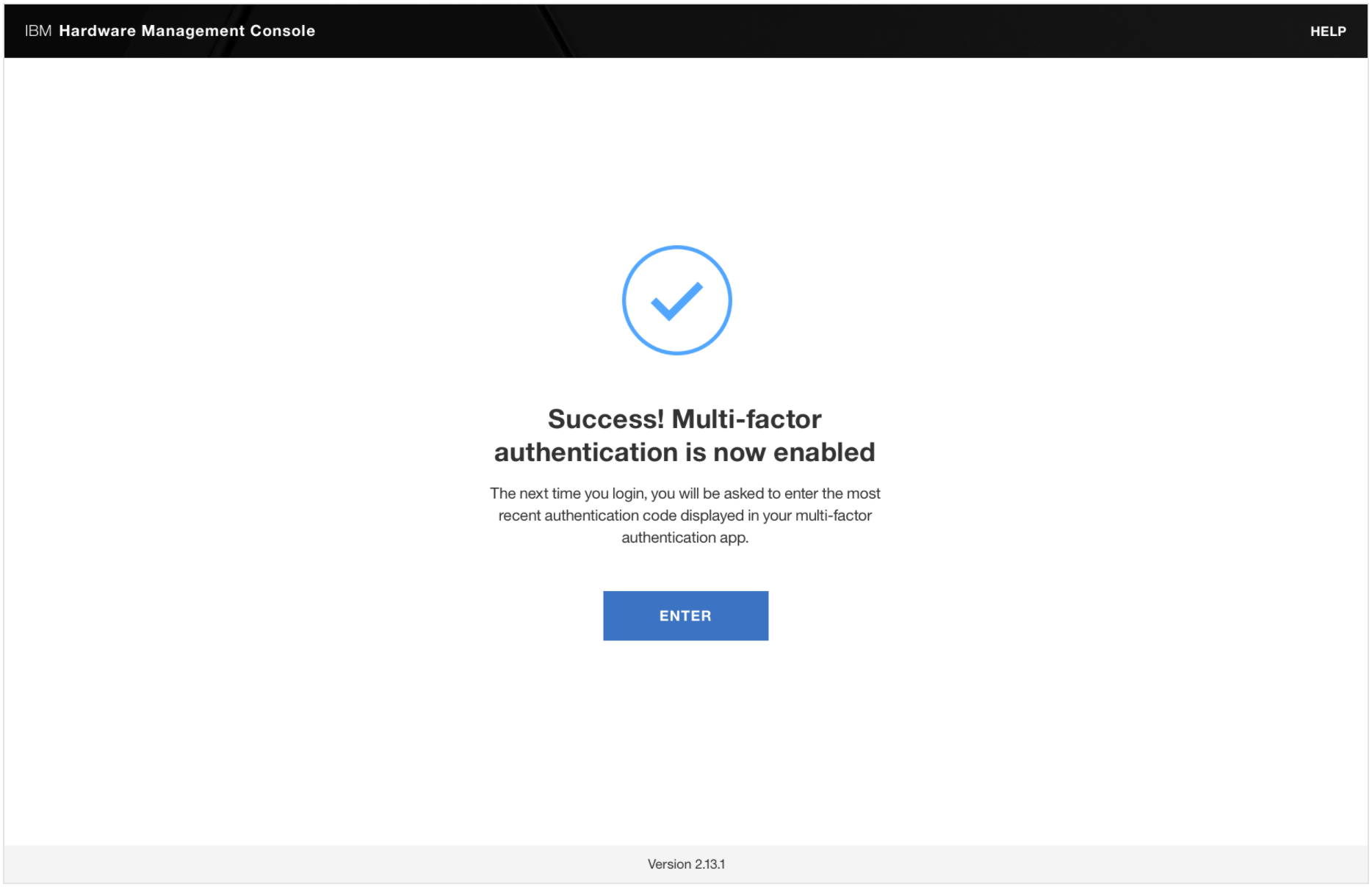
Existing MFA login experience
03 - Design Exploration
Reducing complexity through more focused interactions
We explored different approaches to integrating additional authentication capabilities into the existing HMC experience, including concepts using expandable sections and dedicated configuration screens. Through iterative design and user testing, we identified opportunities to simplify configuration through more focused interactions and clearer separation between authentication methods. We also mapped authentication flows to better understand the steps required for setup and login.
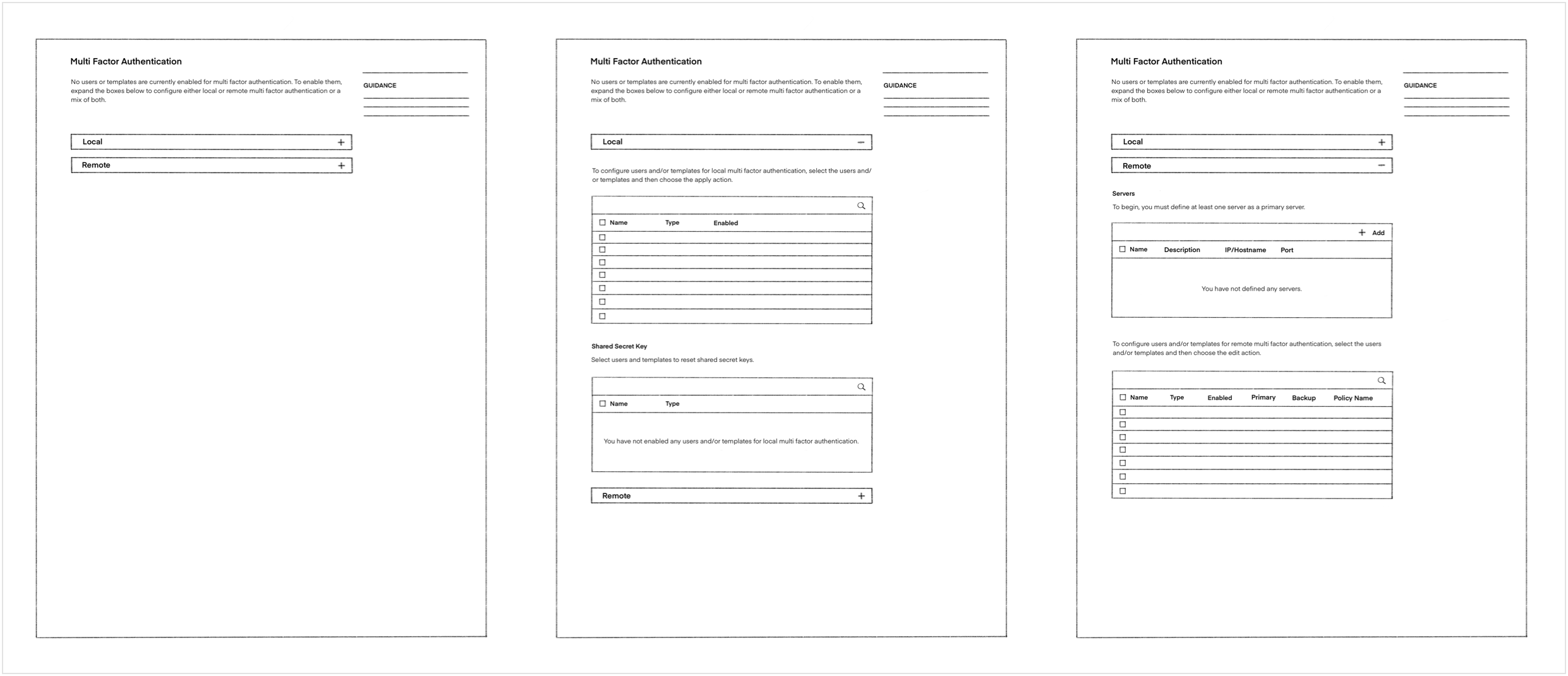
Low-fidelity MFA iterations
04 - Design Refinement
Creating a more consistent and intuitive experience
Based on user feedback, we refined the configuration experience by moving away from expandable sections toward a more focused navigation approach. We explored modal interactions and clearer organization of authentication settings to help administrators complete configuration tasks without navigating through unnecessary information. These refinements helped establish a more consistent experience while accommodating the additional authentication method.
05 - Final design
Integrating additional authentication capabilities into the HMC
The final design incorporated RSA SecurID into the existing authentication experience, providing administrators with an additional method for securing access to enterprise systems. The redesigned configuration experience introduced clearer navigation, more focused interactions, and a consistent approach to managing authentication methods. Together, these improvements supported the expansion of the HMC’s security capabilities while keeping the experience approachable for administrators.
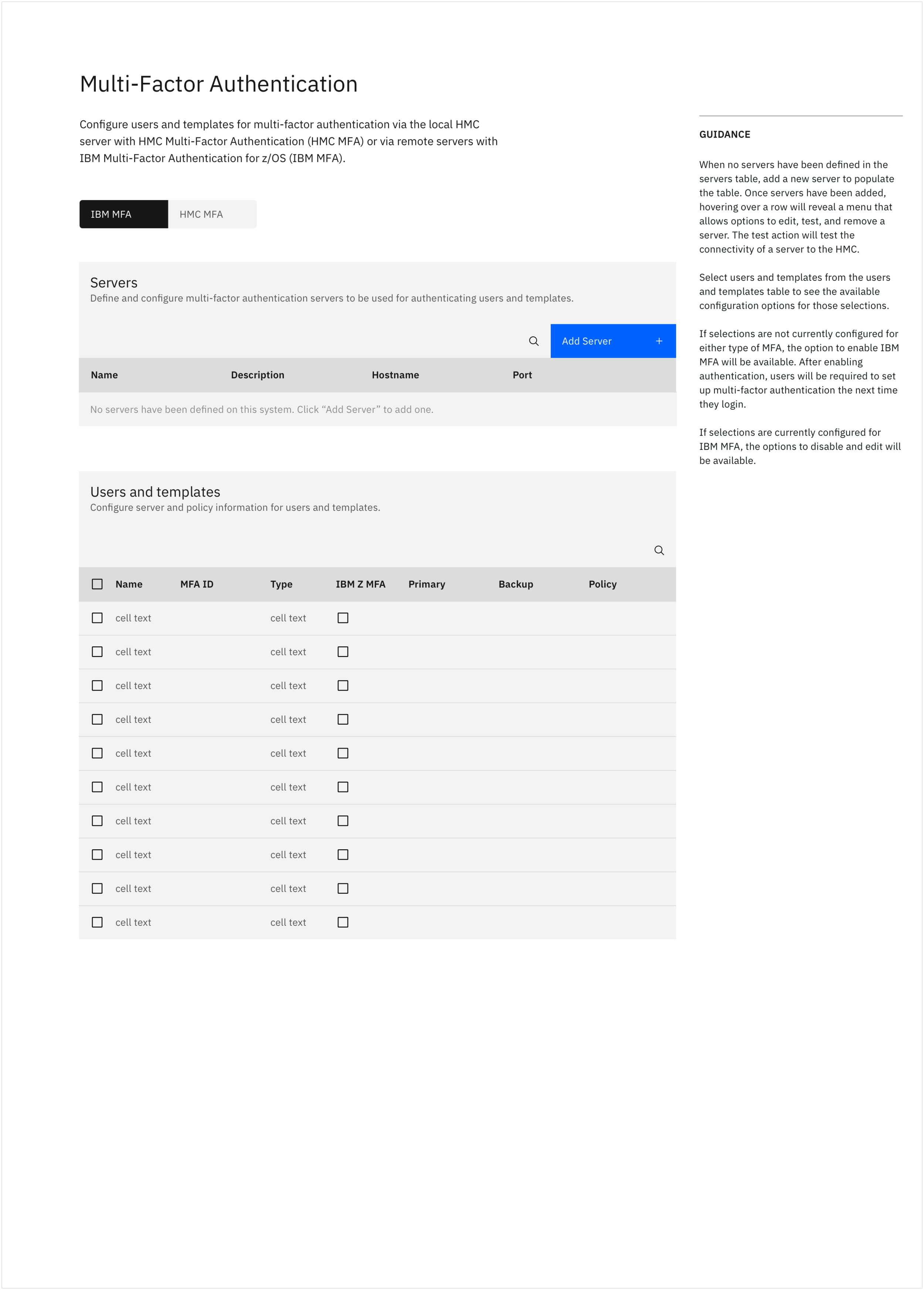
Final MFA configuration screen